Designing Flexible Workspaces: Electrical Infrastructure for Modern Co-working Spaces

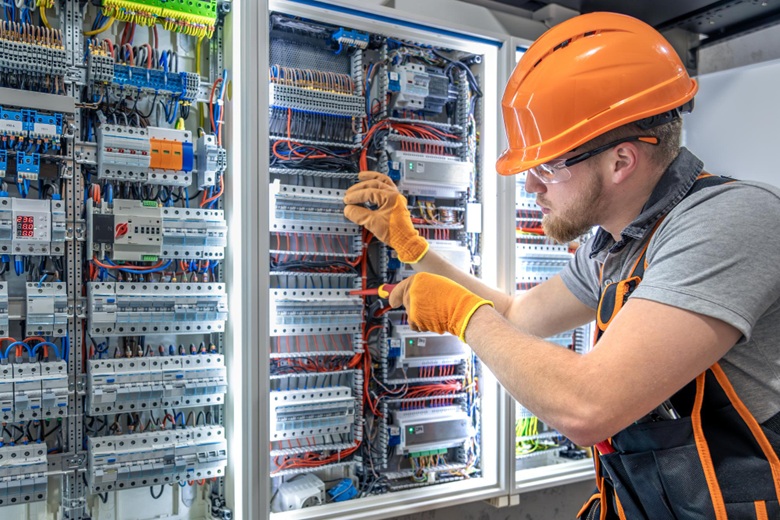
Co-working has come a long way from a few desks in a converted shophouse. Today’s shared workspaces serve everyone from solo freelancers to 50-person startup teams – sometimes in the same building. But here’s what catches most operators off guard: the electrical system that worked fine for a traditional office falls apart when people move around constantly.
Get this wrong and you’re looking at extension cords snaking across walkways, members fighting over the three outlets near the window, and awkward conversations about why the meeting room keeps losing power mid-presentation. None of that impresses prospective tenants. And in a competitive market where members can easily switch to the co-working space down the street, these details matter more than people realise.
Power Distribution That Actually Works
Flexibility defines co-working. People switch desks. Teams grow and shrink. Your electrical setup needs to handle all of this without a full rewire every six months.
Forget the old approach of outlets along the walls. You need power throughout the floor – floor boxes, power poles, or integrated desk systems that let you reconfigure freely. A grid pattern works well, with access points roughly every 2-3 metres. Sounds excessive until you realise that one person’s setup now includes a laptop, external monitor, and phone charger.
And if you’re thinking “we’ll just use power strips” – that’s exactly the kind of workaround that makes spaces feel cheap and creates safety headaches down the line.
The type of floor boxes matters too. Some designs sit flush with the floor when closed but become trip hazards when open. Others integrate more seamlessly but cost more upfront. Worth testing a few options before committing to dozens across your floor plan.
The Hot-desking Problem
When any desk might serve any member on any given day, inconsistency kills the experience. Nothing frustrates people faster than discovering their favourite spot has no nearby power while the desk they don’t like has outlets everywhere.
Every work surface needs power access. And I mean every surface – the couch in the lounge area, the standing counter by the coffee machine, those high tables near the entrance. Working with Mr Electrician during planning helps map out where people actually end up working versus where you think they’ll work. The two are rarely identical.
Charging stations matter more than most operators expect. A dedicated zone with USB ports and wireless charging pads near the coffee area or kitchen gives members a reason to take breaks without dragging cables around. It’s a small thing that gets mentioned in reviews. Members appreciate not having to guard their belongings while their phone charges at their desk.
Cable management is the other half of hot-desking. Retractable cables, integrated desk channels, and hidden cable trays mean the space looks professional at 8am even when someone left a mess of wires at 11pm the night before. This is especially true for spaces that host client meetings or facility tours – first impressions form quickly.
Meeting Rooms Draw More Power Than You’d Think
A single meeting room can pull serious wattage. Add it up: large display screen, video conferencing system, laptop connections for six people, room control panel, maybe a soundbar. Now multiply that by however many meeting rooms you’re planning.
Underspec this and you’ll have circuit breakers tripping during investor pitches. Not a great look.
Larger meeting rooms present additional challenges. Boardroom-style spaces might need multiple display screens, dedicated audio systems for hybrid meetings, and power access at multiple points around the table. Planning for twelve laptop connections means twelve potential charging points, plus whatever presentation equipment you’re running.
Collaboration zones sit somewhere between open desks and formal meeting rooms. People use them in ways you won’t predict – standing meetings, impromptu presentations, focused work when the main floor gets noisy. Wall outlets at standing height plus floor-level access covers most configurations without looking industrial.
Data and Power Go Together Now
Power over Ethernet has blurred the line between electrical and network infrastructure. Security cameras, access control readers, some WiFi access points – they all pull power through data cables rather than wall outlets.
This means planning electrical and networking together from day one. Conduit runs should accommodate both (kept separate per code, obviously). Server closets and IDF rooms need dedicated circuits. And wherever you’re putting a wireless access point, there’s an electrical decision attached.
The networking equipment itself needs reliable power. A small UPS for your switches and router keeps the internet running during brief outages – something members notice immediately when it fails. Nothing clears a co-working space faster than dead WiFi.
Enterprise tenants sometimes want wired connections at their desks. Old school, but the reliability matters for certain applications – finance, legal, healthcare. Each wired port needs corresponding electrical capacity nearby. Something that’s easy to overlook until a corporate tenant asks for it during their site visit.
Getting the Paperwork Right
Commercial spaces with public access have specific requirements beyond basic safety – circuit protection ratings, emergency lighting, accessibility standards. The regulations exist for good reasons, but navigating them takes expertise.
Mr Electrician, a licensed electrician in Singapore, offers professional electrical services from the start. Licensed Electrical Workers know what inspectors look for in shared workspace environments. Saves time and avoids the stomach-dropping moment when someone flags a problem two days before opening.
Emergency lighting deserves particular attention. Exit signs, pathway illumination, emergency power for essential systems – all have specific placement and performance requirements. Getting these wrong can delay your opening or require costly modifications after the fact.
Co-working spaces also see heavier use than typical offices. Equipment connects and disconnects constantly. Establish a maintenance schedule that accounts for this – quarterly inspections catch problems before they become emergencies. Outlets and switches wear out faster in high-traffic environments than in standard commercial settings.
Building for What Comes Next
Technology shifts fast – faster than most people anticipate. The co-working spaces still thriving after five years built in room to grow.
Install 20-30% more capacity than your calculations suggest. Run conduit to locations where you might want outlets later, even if you’re not installing them now. Pulling cable through existing conduit costs a fraction of opening finished walls. This is one of those decisions that feels like overspending until you need it.
Consider what your space might become. Co-working operators sometimes add podcast studios, event spaces, or maker workshops as their community grows. Each has distinct electrical requirements. Planning conduit runs and panel capacity for potential future uses saves major headaches later.
Document everything. I mean everything – circuit assignments, cable routes, panel locations, what each breaker controls. When something breaks at 10pm on a Friday or you’re planning modifications two years later, that documentation pays for itself many times over. Include photos of in-wall wiring before you close up walls – you’ll thank yourself later.
The electrical system in a co-working space either works invisibly or causes constant small frustrations. Members notice when power is always available, when meeting room tech just works, when the space adapts to new needs without drama. They definitely notice the opposite – and they talk about it in reviews and to other potential members.
Infrastructure decisions made before opening day stick with you for years. The operators who plan carefully upfront spend less time dealing with electrical headaches later – and more time actually running their business.